Built for people who learn to code from YouTube

Stop pausing the video
to copy the code.

Paste a coding tutorial. Get back clean, structured notes — with every line of on-screen code pulled out and ready to copy. Not just what the instructor said, but what they actually typed.

What's on screen (0:33)
import { useState } from 'react';

export default function App() {
  const [display, setDisplay] = useState(true);

  return (
    <div>
      {display && <p> Example </p>}
      <button onClick
▶ tutorial.mp4
Extracted notes
✓ copy
1import { useState } from 'react';
2
3export default function App() {
4 const [display, setDisplay] = useState(true);
5
6 return (
7 <div>
8 {display && <p> Example </p>}
9 <button onClick={() => setDisplay(!display)}>
10 Toggle Button
11 </button>
Real output. The instructor never read that code aloud — a transcript tool would've missed all of it.
Why not just paste the transcript into ChatGPT?

// ChatGPT & other AI tools

Read the narration. Miss the screen.
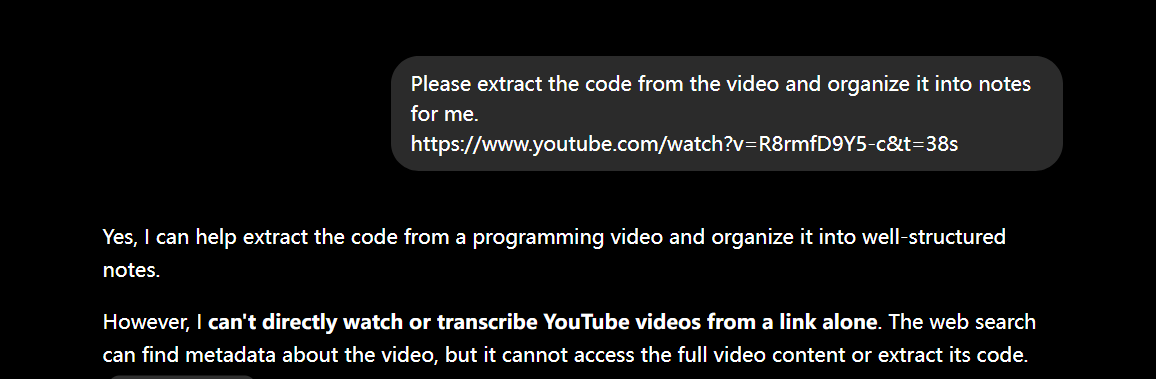
ChatGPT replying that it can't directly watch or transcribe YouTube videos from a link alone
Transcript only — no access to the code on screen
Only sees what the presenter says
Guesses at code that was shown but never read aloud
Made-up variable names, missing lines

// PullCode

Reads the actual code off every frame.

screenshot slot
Real code, transcribed verbatim from the screen
Screenshots the video and reads what's on screen
Copy-pasteable code, character for character
Timestamps link back to the exact moment
First video is free. No signup to try.
// the gap
Every other tool transcribes the talking.
None of them read the screen.

Transcript and "video-to-notes" tools only capture the audio track. For a coding tutorial, the part you actually need — the code — lives on screen, and the instructor rarely dictates it line by line.

// transcript & notes tools

"Then we add a useState hook here..." — and you're left guessing the exact code
Diagrams, terminal output, error messages: all invisible
Great for podcasts & lectures, thin for anything you watch to build

// PullCode

Reads the editor frame-by-frame and pulls the real, complete code
Captures terminal output and on-screen text the narration skips
Each code block linked back to the exact moment in the video
// how it works
Three steps. About a minute.
01 —

Paste the link

Any YouTube coding tutorial. Long ones too — full-length courses are where the pausing hurts most.

02 —

We read both tracks

The narration for context, and the screen itself for the code the narration leaves out. Then we line them up.

03 —

Get copy-ready notes

Structured sections, real code blocks you can copy, timestamps that jump back to the source. Export to Markdown or PDF.

// pricing
Pay for what you convert.

No subscription trap. Your first video is free — after that, buy a pack of conversions and use them whenever you're actually studying something.

// FREE
$0
1 video, no signup
  • Full frame-by-frame code extraction
  • Markdown export
  • See exactly what you'd get before paying
// STARTER PACK
$9 / 20 videos
$0.45 a video · never expires
  • Everything in Free, 20 conversions
  • Long-video support (full courses)
  • PDF + Markdown export
  • Timestamps that jump back to the video

Watch to learn. Don't watch to transcribe.

Try it on the messiest, most code-heavy tutorial you can find.